
It is 2026, and we are all cool enough to interact with our networks exclusively through code and agents… But sometimes it’s nice to have a WYSIWYG topology editor and convenience features for interacting with finger-defined network labs.
I have been satisfying this lizard-brain need with EVE-ng on a Dell R720, while using containerlab locally for everything else. My hardware is ageing and the containerlab GUI has come a long way, so I’m using containerlab for everything and moving my labs to the cloud.
Software
I spend time interacting with lab and test environments every day for various purposes: automation development, CI testing, playing with technologies for LLDs, recreating observed issues, etc.
Development and CI testing environments require labs checked into code, which Containerlab accommodates better than anything else. Recreating and troubleshooting observed issues is best done interactively, as the lab is usually a one-off and requires a lot of fiddling. This is where EVE-ng has been brilliant.
With the recent improvements to containerlab’s GUI tooling, I no longer see the need to keep EVE-ng around. It’s by no means as feature-rich as EVE in its current state, but it’s usable. The things I miss the most are:
- Operating multiple config sets from the UI
- Adding links to running VM-based nodes without recreating or rebooting them
- Wiping a single node back to its startup config
The GUI comes as a VS Code extension, a desktop app or a web app. I use the first two depending on the task at hand. Anything code-related happens in VS Code, and finger-defined labbing in the desktop app.
Platform
My (t)rusty R720 has served me well for the last seven years, but it’s well past its “best before” date. Its 40 cores and 256GB of memory have allowed me to run large topologies, but it’s slow. Certain modern virtual devices start acting up at the slightest CPU oversubscription.
We have also moved past the point where I feel the need to keep hardware available in the lab. The physical hardware I used alongside my virtual setup was shut off in 2024, and I haven’t regretted it yet. Considering this and the astronomical hardware cost, the natural way to run my lab going forwards is in the cloud.
I have a few criteria for my choice of provider:
- Based in Europe
- Billed hourly, free/cheap when not in use
- CPU virtualisation extensions exposed
That really leaves only OVH. Scaleway and Hetzner VMs do not expose CPU virtualisation extensions, and their bare metal servers are billed until deleted. UpCloud does not expose CPU virtualisation extensions. If I were to run the server continuously, the choice would land on Hetzner.
My OS of choice is Ubuntu, and the b3-128 SKU currently suits me best. At €0.82/hour I can lab for a really, really long time before it makes sense to look at owning hardware at current prices. I shelve(de-allocate for Azure folks) the instance after each session, so I only pay for snapshot storage while it is not in use.
VS Code connects to the OVH instance over Remote SSH, and the desktop app talks to clab-api-server running on it.
Both go over NetBird, so nothing on the instance has to be exposed to the internet.
Migration
Some of my labs have been evolving over years and include most of the things I work with day-to-day. I keep these at hand so that I can quickly test something without a lot of yak-shaving each time. These labs are large and intricate, with multiple config sets and various visual decorations to make them easier to work with. I had my clanker create eve-clab-converter, which migrates full topologies along with non-node objects. The resulting labs require some manual post-processing due to differences in how EVE and clab render labs, but it still saves a lot of time.
EVE-ng:
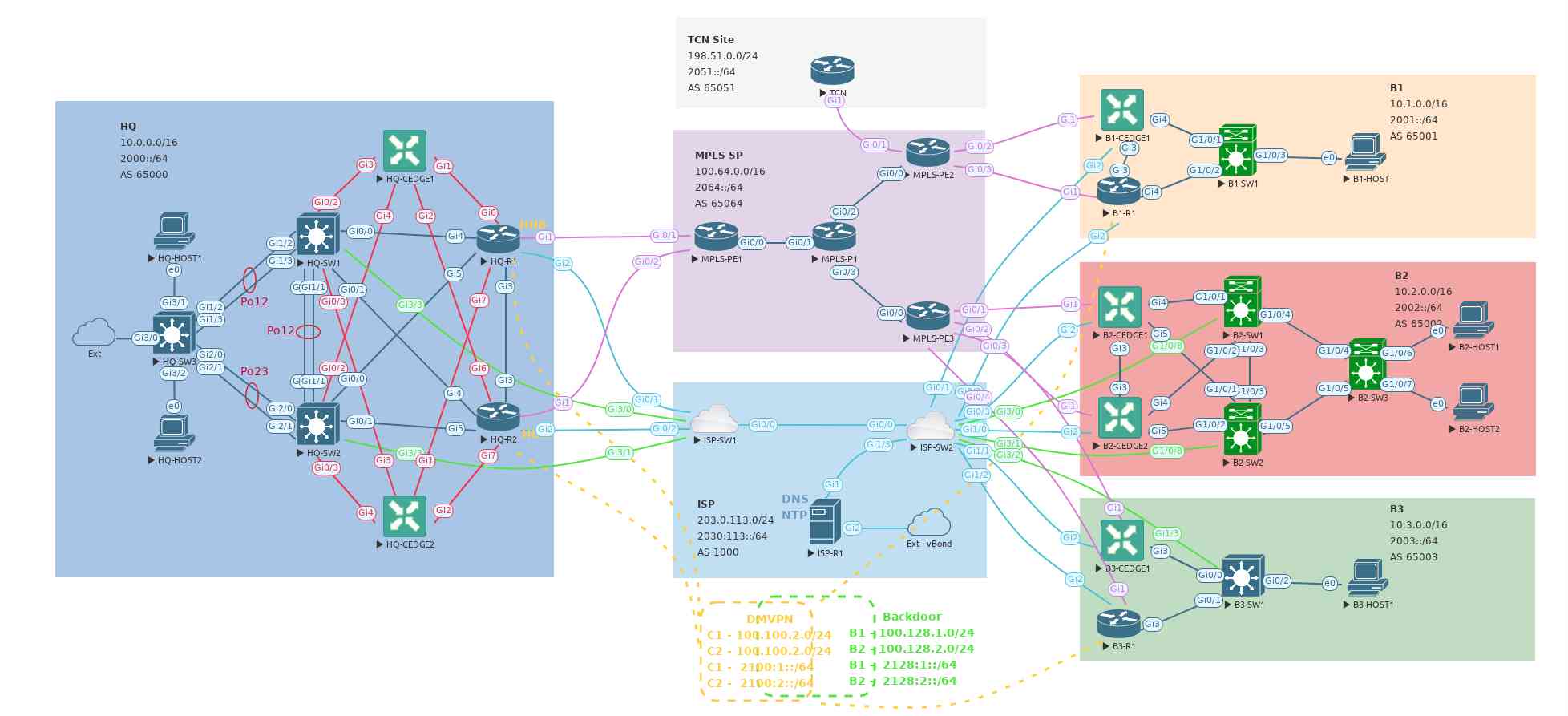
I’m aware that the “backdoor” box isn’t centred. It bugs me as well, but I didn’t notice in time to take a new screenshot.
Containerlab:
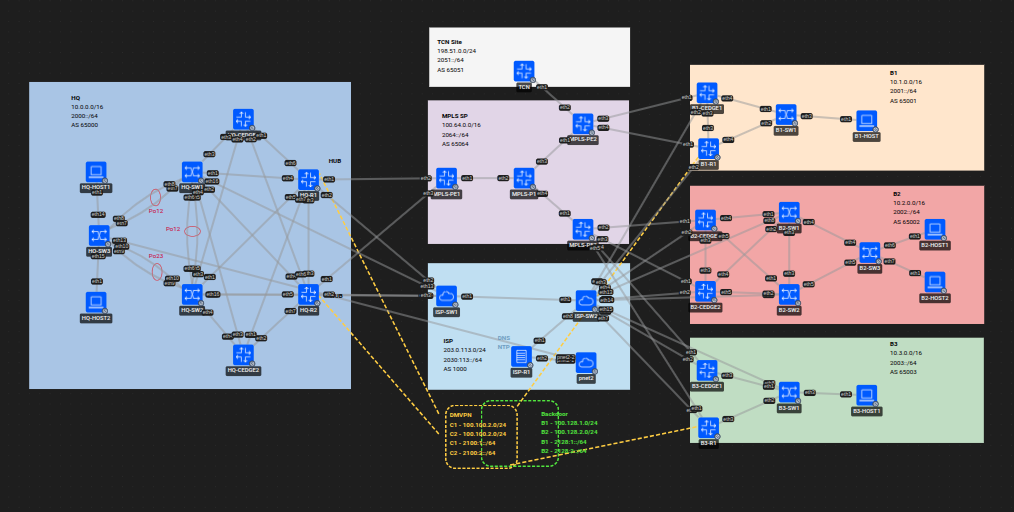
For the desktop app to pick up the converted labs, they need to reside in ~/.clab on the lab host.
SCP-ing them to the server is the easiest way to do this, as copying through the app itself is tedious.
I have been running some components outside of EVE-ng, as it does not lend itself to running long-lived stateful nodes. My strategy for these is to include them in the clab labs and use snapshots. I have been doing this successfully with Cisco SD-WAN Manager for a long time now. I have created a containerlab node kind for Cisco ISE (to be PR’ed), added it to the labs and imported backups. I have been running it for a week, and it’s working quite well.
The last thing that needs to be handled is the images. I keep my personal containerlab node images in my Forgejo container registry. This decouples them from the lab host so that I don’t need to copy anything for this migration. Most of the EVE-ng images I was using are modified to some extent. Hence they can’t easily be used to build vrnetlab images. To get around this I used an LLM to change the image specifications in the converted lab files to images that I already have in the registry. The LLM also gave me a shopping list for the remaining images to acquire and build.
Summary
Containerlab’s GUI tooling has become good enough for me to replace EVE-ng and my R720 has been taken behind the barn. I now run containerlab on demand on an OVH b3-128 Public Cloud instance. I access it using the VS Code extension and desktop app over NetBird.
There were three main steps to the migration:
- Converting the EVE topologies with eve-clab-converter.
- Onboarding the long-lived stateful nodes I hosted outside EVE into the labs, and managing them with snapshots.
- Swapping the images in converted lab files for ones already in my Forgejo registry, and manually building the missing ones.
See Also
- Building your own Containerlab node kinds
- Containerlab Cisco images simplified
- EVE-NG Netplan configuration
- CML Autoshutdown nodes
- Ubuntu, SecureCRT & Telnet links
Got feedback or a question?
Feel free to contact me at hello@torbjorn.dev